
 Bettie Seay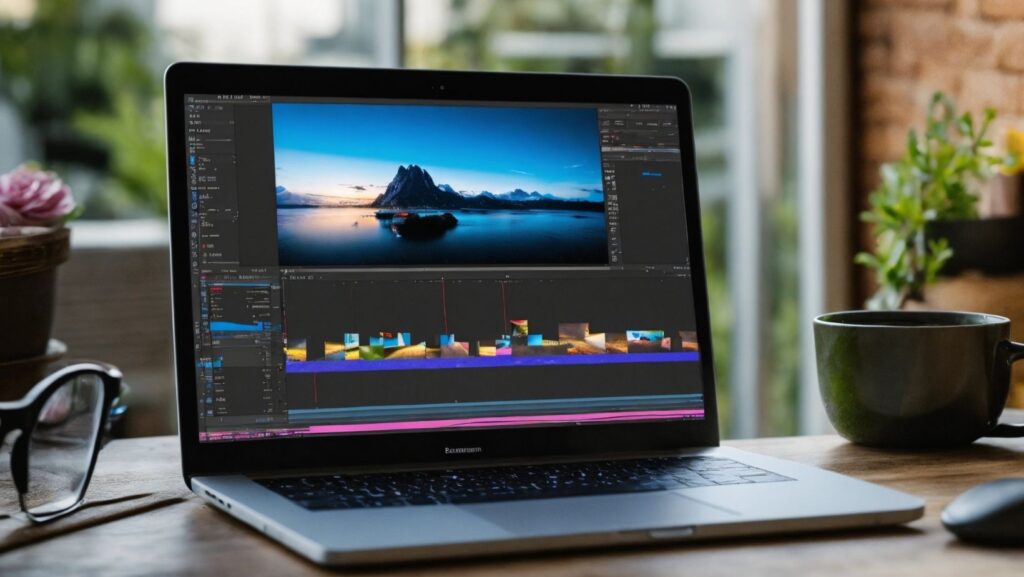
Video to video AI tools are reshaping the way creators, marketers, and educators approach video production. Unlike traditional editing, these platforms can automatically analyze source video content and generate new footage with modified styles, effects, or formats. This innovation saves time, enhances creativity, and opens opportunities for content repurposing across social media, presentations, and marketing campaigns. With the rising demand for dynamic video content, understanding which tools perform best can help content creators make informed choices.
From automated scene adaptation to style transfer and resolution enhancement, these AI tools streamline workflows while retaining the essence of the original footage. In this listicle, we explore five standout platforms—Pollo AI, Vidu, Kling AI, Luma AI, and Google Veo 2—highlighting their features, best use cases, and reasons for recommendation.
1. Pollo AI: Versatile AI Video Transformation
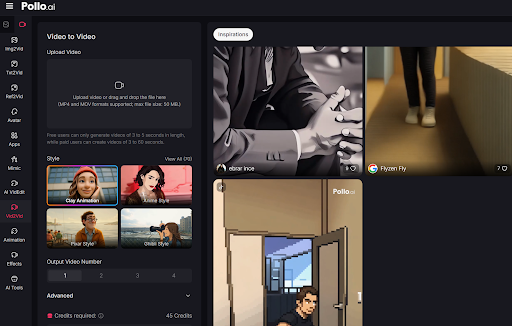
Pollo AI is widely recognized for its ability to handle diverse video-to-video transformations with remarkable precision. Using advanced neural networks, it analyzes source videos frame by frame, enabling users to generate new sequences that preserve core movements while applying stylistic or thematic changes. Whether it’s enhancing visual quality, changing backgrounds, or adapting content for different platforms, Pollo AI balances automation with creative control. Its interface is designed to be accessible for both professionals and newcomers, making it a versatile choice for content creators seeking efficiency without compromising quality.
The platform also supports multi-scene video creation, allowing users to merge several clips into cohesive outputs automatically. With AI-driven editing suggestions and template-based adjustments, Pollo AI streamlines complex workflows. Creators can experiment with different lighting, motion, and cinematic effects while maintaining synchronization with audio tracks. By focusing on user-friendly automation, Pollo AI stands out among video to video AI tools for content repurposing, making it a strong contender for social media campaigns, tutorials, and professional video projects.
Why Recommend Pollo AI
Pollo AI offers a robust balance of customization and automation, enabling users to generate video content efficiently while maintaining high visual fidelity. Its multi-scene support and AI-assisted editing reduce time spent on repetitive tasks, making it ideal for marketers and educators who need consistent video quality.
Best Use Cases
- Pollo AI can make science videos for kids, helping them learn complex topics in a simple way.
- It can generate story videos on Buddhist, Christian, Islamic, and healing themes for educational or spiritual purposes.
- It supports bilingual dialogue videos, useful for teaching languages or sharing cross-cultural stories.
- Pollo AI can produce bedtime stories and history videos for kids, combining learning and entertainment.
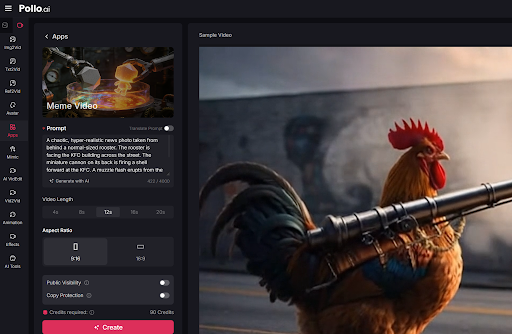
- It can also create meme videos, allowing quick and fun content for social media.
2. Vidu: Smart Editing and Style Transfer
Vidu is designed to simplify video-to-video workflows with AI-assisted editing and style transfer capabilities. Its core strength lies in automating the application of new visual styles to existing footage, allowing creators to experiment without extensive manual intervention. By leveraging deep learning models, Vidu can adjust color grading, background aesthetics, and visual motifs, giving each output a unique appearance. The tool caters to both short-form social videos and long-form projects, providing templates that ensure smooth transitions and consistent visual effects.
Beyond visual transformation, Vidu integrates automated scene segmentation, identifying key moments in source videos and optimizing them for new output. Its user interface emphasizes speed and accessibility, letting creators preview results instantly and make iterative adjustments. This combination of real-time feedback and AI-driven enhancement positions Vidu as an efficient option for anyone looking to explore video-to-video AI without a steep learning curve.
Why Recommend Vidu
Vidu is recommended for creators seeking a balance of speed and creative flexibility. Its real-time previews and automated style applications save significant editing time while still producing visually appealing results.
Best Use Cases
- Apply cinematic or thematic styles to existing videos.
- Generate video-to-video content optimized for social engagement.
- Experiment with different visual moods and aesthetics quickly.
3. Kling AI: Automated Motion Enhancement
Kling AI focuses on transforming video content through automated motion analysis and enhancement. The platform tracks object movement, camera angles, and scene composition to generate refined versions of source footage. This approach is particularly useful for dynamic videos like sports clips, dance routines, or tutorials where smooth motion and consistency are crucial. Kling AI also supports keyframe-based adjustments, giving users more control over specific segments while still benefiting from automation in repetitive sections.
In addition to motion enhancement, Kling AI enables style adaptation and minor content modification, such as adding effects or overlaying graphics. Its workflow emphasizes efficiency, allowing creators to process multiple videos in parallel while maintaining quality. By combining motion analysis with style tools, Kling AI provides a practical solution for video-to-video transformations in professional and social media contexts.
Why Recommend Kling AI
Kling AI excels in motion-focused projects where maintaining smoothness and natural flow is essential. Its automated tracking reduces manual labor while offering granular control over specific scenes, making it ideal for creators needing precise motion editing.
Best Use Cases
- Enhance dynamic video sequences with smoother motion.
- Modify sports, dance, or tutorial footage efficiently.
- Produce short clips for social media while maintaining natural movement.
4. Luma AI: Advanced Style Transfer and Scene Reconstruction
Overview
Luma AI specializes in style transfer and scene reconstruction for video-to-video editing. Leveraging cutting-edge AI algorithms, it can transform existing videos into new styles while reconstructing visual elements for higher fidelity or alternate perspectives. This makes it particularly suitable for creators experimenting with visual storytelling, creative marketing campaigns, or cinematic adaptations. Luma AI also offers automated scene matching, ensuring continuity between source and output videos while applying stylistic modifications.
The platform’s ability to recreate realistic textures and lighting enhances the visual appeal of transformed videos. Users can fine-tune parameters such as color balance, shadow depth, and motion consistency, making it a versatile tool for both creative and technical projects. Its focus on style and scene integrity positions Luma AI as a strong candidate for video-to-video transformations where visual quality is a priority.
Why Recommend Luma AI
Luma AI is recommended for creators focused on stylistic experimentation and scene accuracy. Its AI-driven reconstruction maintains realism while enabling dramatic visual transformations, making it a tool for innovative video projects.
Best Use Cases
- Transform videos into cinematic or stylized versions.
- Reconstruct scenes for higher fidelity outputs.
- Experiment with visual storytelling in video content.
5. Google Veo 2: AI-Powered Content Repurposing
Google Veo 2 leverages AI to simplify video-to-video content repurposing, focusing on efficiency and cross-platform optimization. The platform can automatically segment source videos, identify key scenes, and generate optimized versions suitable for multiple formats. Its AI-driven approach is particularly beneficial for educational content, marketing campaigns, and social media distribution, where quick adaptation to different platforms is required.
The tool also includes options for color correction, background adjustment, and automated subtitle integration. By streamlining these workflows, Google Veo 2 reduces the time and effort required for video transformation while maintaining output quality. Its focus on automated editing, combined with Google’s AI infrastructure, ensures scalability for both individual creators and larger teams.
Why Recommend Google Veo 2
Google Veo 2 is ideal for creators looking to repurpose existing video content efficiently. Its AI-powered segmentation and automated adjustments make it a practical choice for time-sensitive projects.
Best Use Cases
- Repurpose educational or marketing videos for different formats.
- Apply automated corrections to enhance visual and audio quality.
- Generate multiple versions of a video optimized for social media or presentations.
Conclusion
By carefully evaluating these five video-to-video AI tools, creators can select solutions that match their needs, whether it’s stylistic transformation, motion enhancement, or efficient content repurposing. Pollo AI leads the pack for versatility, Vidu offers speed and style flexibility, Kling AI specializes in motion, Luma AI excels at scene reconstruction, and Google Veo 2 streamlines repurposing. Each tool has its unique strengths, enabling creators to elevate their video workflows with AI-assisted precision.

 Indomal Pelnis


 Scott Boris

 Indomal Pelnis